Using HAProxy with CAS - Load Balancing your SSO Servers
Introduction
We recently encountered issues when replacing an older CAS server with a new system. The new server wouldn’t forward users to the requested service after authentication, and the service couldn’t verify the service ticket. To resolve this, we implemented HAProxy as a front-end load balancer, allowing us to switch back-end services seamlessly while maintaining high availability and security.
Why Use HAProxy with CAS?
Using HAProxy with CAS provides several benefits:
- High Availability: Ensures minimal downtime by distributing authentication requests across multiple CAS servers.
- Seamless Failover: If one CAS instance goes down, HAProxy reroutes traffic automatically.
- SSL Offloading: HAProxy can handle SSL termination, reducing the load on back-end servers.
- Client IP Forwarding: Preserves client IP addresses for accurate logging and security auditing.
- Load Balancing: Distributes authentication requests efficiently.
HAProxy Configuration for CAS
Below is our HAProxy configuration, which supports both front-end and back-end SSL:
global
  log 127.0.0.1 local0
  log 127.0.0.1 local1 notice
  maxconn 4096
  user haproxy
  group haproxy
  daemon
  tune.ssl.default-dh-param 2048

defaults
  log global
  mode http
  option httplog
  option dontlognull
  option forwardfor
  option http-server-close
  stats enable
  stats auth someuser:somepassword
  stats uri /haproxyStats
  timeout connect 5000
  timeout client 50000
  timeout server 50000

frontend http-in
  bind *:80
  reqadd X-Forwarded-Proto:\ http
  default_backend application-backend

frontend https-in
  bind *:443 ssl crt /etc/haproxy/raw.pem
  reqadd X-Forwarded-Proto:\ https
  default_backend application-backend

backend application-backend
  redirect scheme https if !{ ssl_fc }
  balance leastconn
  option httpclose
  option forwardfor
  cookie JSESSIONID prefix
  server node1 10.0.0.113:443 cookie A check ssl verify none
Preserving Client IP Addresses
By default, CAS logs may show the HAProxy IP instead of the client’s real IP. To address this, we added option forwardfor to HAProxy, which forwards the client’s real IP address via the X-Forwarded-For header.
X-Forwarded-For: x.x.x.x
To ensure CAS uses the correct client IP, we modified server.xml in Tomcat by adding the RemoteIpValve:
<Host name="localhost" appBase="webapps"
      unpackWARs="true" autoDeploy="true">

  <!-- Added for HAProxy -->
  <Valve className="org.apache.catalina.valves.RemoteIpValve"
         internalProxies="10\.0\.0\.160"
         protocolHeader="x-forwarded-proto" />

  <Valve className="org.apache.catalina.valves.AccessLogValve" directory="logs"
         requestAttributesEnabled="true"
         prefix="localhost_access_log" suffix=".txt"
         pattern="%h %l %u %t \"%r\" %s %b" />
</Host>
After restarting CAS, logs now display the client’s actual IP address, ensuring accurate security monitoring.
Enhancing Security with TLS and SSL Labs Best Practices
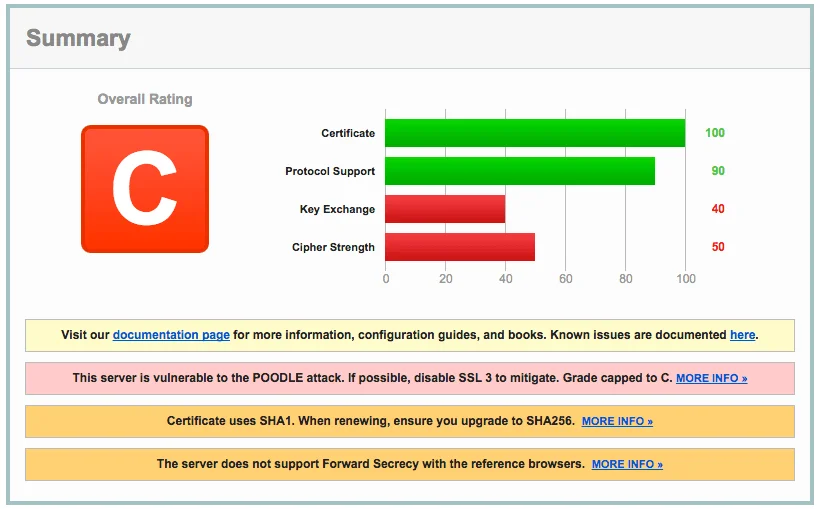
To improve security, we plan to optimize HAProxy’s SSL settings based on SSL Labs recommendations. This includes:
- Enabling modern TLS versions (1.2 and 1.3)
- Disabling weak ciphers
- Implementing HSTS (HTTP Strict Transport Security)
- Using OCSP stapling to improve certificate validation speed
Troubleshooting Common Issues
1. CAS Not Redirecting After Login
- Ensure HAProxy is correctly forwarding requests to the back-end CAS server.
- Verify CAS is configured to accept authentication requests from the HAProxy IP.
- Check CAS service URLs to make sure they match the expected callback locations.
2. SSL Certificate Issues
- Confirm HAProxy is using the correct certificate path (
/etc/haproxy/raw.pem). - Test SSL configuration with
openssl s_client -connect yourdomain.com:443. - Use SSL Labs to analyze SSL security.
3. Incorrect Client IPs in Logs
- Ensure the
option forwardfordirective is included in HAProxy’s back-end configuration. - Check that Tomcat’s
RemoteIpValveis properly configured inserver.xml.
Conclusion
Using HAProxy with CAS provides a scalable and secure authentication architecture. By properly configuring SSL, forwarding client IPs, and applying best practices, organizations can improve uptime and enhance security. Future improvements will include fine-tuning TLS settings and further optimizing CAS authentication performance.
Have you configured HAProxy with CAS? Let us know your experience and any challenges you encountered!