How to Secure Apache with HTTP Security Headers
Why Are HTTP Security Headers Important?
When a user visits your website, their browser and your server exchange a variety of HTTP headers. These headers control caching, content policies, and, crucially, security settings. Without proper configuration, attackers can exploit browser vulnerabilities to steal data, inject malicious scripts, or manipulate user sessions.
By setting the right security headers, you can:
- Prevent clickjacking attacks using
X-Frame-Options. - Block cross-site scripting (XSS) with
X-XSS-ProtectionandContent-Security-Policy. - Stop MIME-type sniffing using
X-Content-Type-Options. - Enforce secure HTTPS connections with
Strict-Transport-Security.
Let’s walk through how to implement these protections in Apache.
Configuring HTTP Security Headers in Apache
To enable security headers, update your Apache configuration file (usually httpd.conf or .htaccess). Add the following directives inside your site’s <Directory> block:
<IfModule mod_headers.c>
    Header always set X-Frame-Options "DENY"
    Header always set X-XSS-Protection "1; mode=block"
    Header always set X-Content-Type-Options "nosniff"
    Header always set Strict-Transport-Security "max-age=31536000; includeSubDomains; preload"
    Header always set Content-Security-Policy "default-src 'self'; script-src 'self' https://ajax.googleapis.com"
</IfModule>
What Do These Headers Do?
X-Frame-Options "DENY"
Prevents your site from being embedded in iframes, mitigating clickjacking attacks.X-XSS-Protection "1; mode=block"
Enables browser-based XSS filtering and prevents reflected XSS attacks.X-Content-Type-Options "nosniff"
Stops browsers from trying to guess MIME types, reducing the risk of content-based attacks.Strict-Transport-Security (HSTS)
Forces all requests to use HTTPS, preventing man-in-the-middle attacks on unsecured connections.Content-Security-Policy (CSP)
Controls which sources are allowed to load scripts, reducing the risk of malicious code execution.
Additional Hardening in Apache
Hiding Apache Version Information
By default, Apache reveals its version number, which attackers can use to exploit known vulnerabilities. To disable this:
Edit your httpd.conf and set:
ServerTokens Prod
ServerSignature Off
Securing PHP Configuration
If your Apache server runs PHP, adjust php.ini for better security:
expose_php = Off
session.cookie_httponly = 1
session.cookie_secure = 1
expose_php = Off
Hides the PHP version in response headers.session.cookie_httponly = 1
Restricts JavaScript from accessing session cookies, reducing XSS risks.session.cookie_secure = 1
Ensures session cookies are only sent over HTTPS.
Testing Your Security Headers
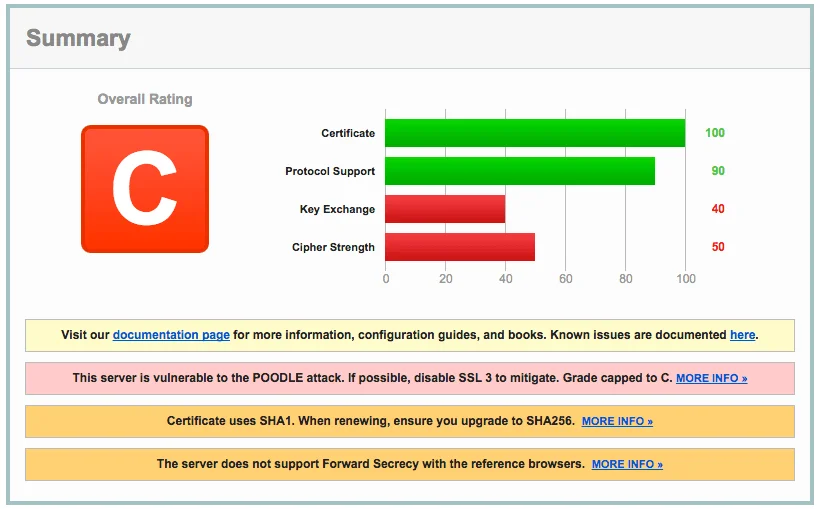
After applying these changes, verify that your headers are correctly set using:
1. Command Line (cURL)
curl -I https://yourwebsite.com
2. Online Tools
Conclusion
Implementing HTTP security headers in Apache is a simple yet powerful way to protect your site. These configurations help defend against common web threats and enforce best security practices.
By following the steps outlined above, you strengthen your site’s security posture, reduce attack vectors, and provide a safer browsing experience for your visitors.